
You won't act on everything in the audit — and you're not meant to. Two pages help you choose what matters.
Topics are the themes buyers search for in your market. Each shows its importance, your current visibility for it, and how you compare to competitors.
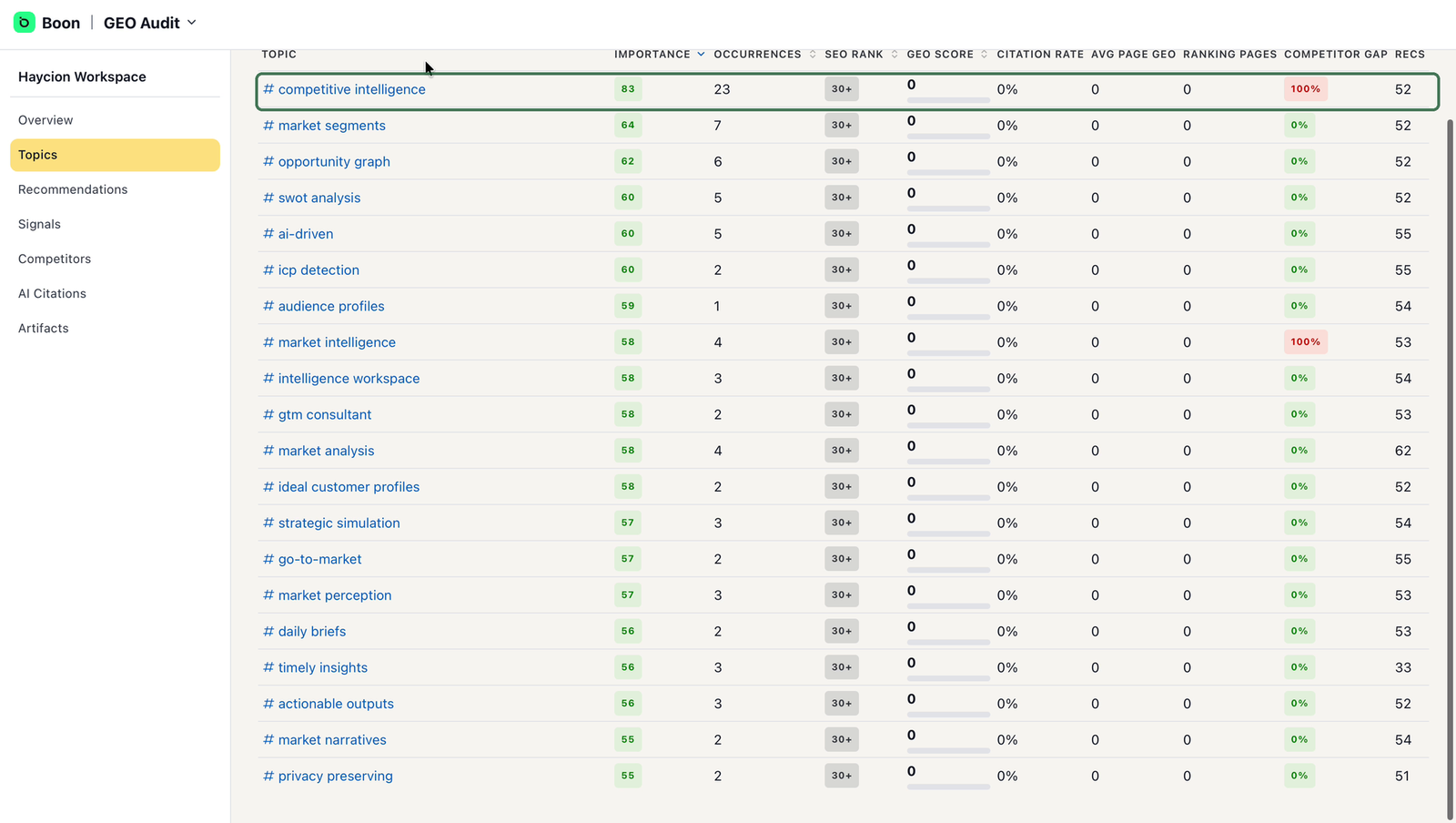
Topics, ranked by importance — start at the top.
The list is sorted by importance, so start at the top: topics that combine high importance with weak scores or a large competitor gap are your best candidates. Pick two or three.
Open a priority topic and scroll down — this is where the audit becomes concrete. You'll find the pages to optimize for that topic, each with a note on what to improve, and generated action items tagged with a suggested owner such as Marketing or Sales. Edit or remove anything that doesn't fit, and pass the rest to the right person on your team.
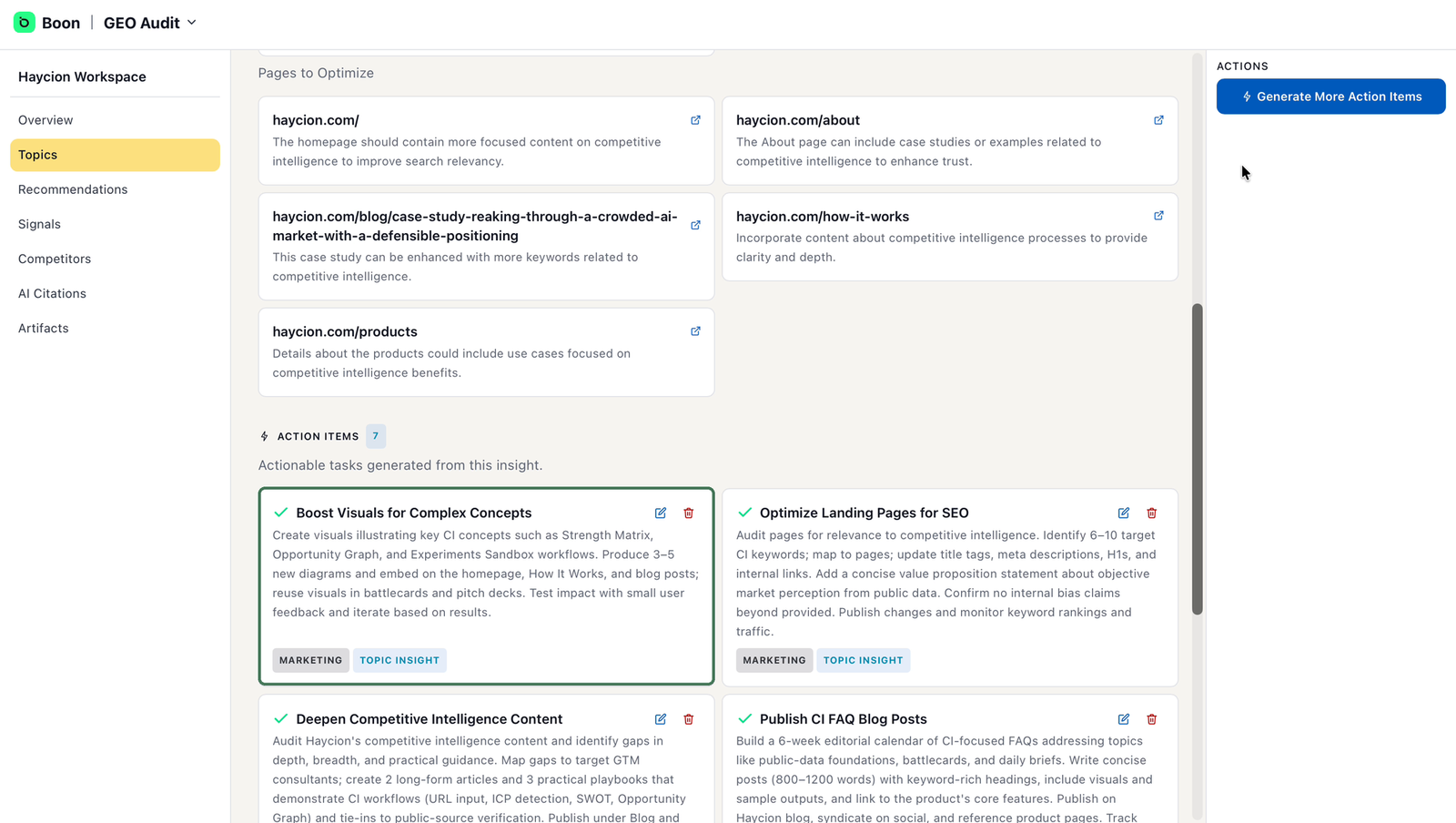
Inside a topic — pages to optimize, and action items with owners.
The Recommendations page collects every suggested improvement across your site, each tagged with a priority, a target (website, page, or topic), a category (SEO, GEO, or content), and an effort level.
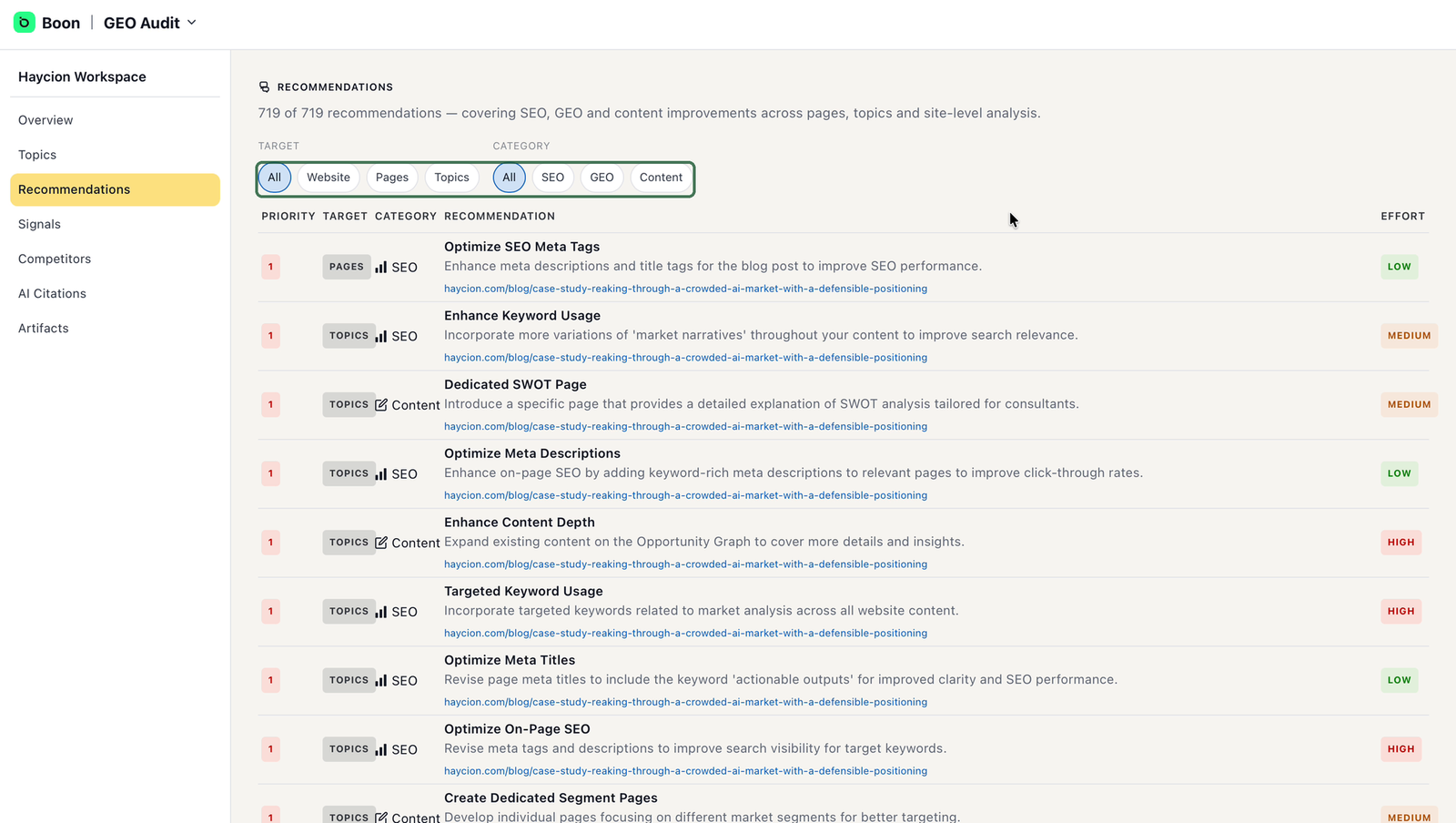
Recommendations — filter down to a short list of quick wins.
Use the filters to turn the full list into a short one: filter by category to route work to the right people, and start with high-priority, low-effort items — your quick wins.
Outcome: two or three priority topics with owners for their action items, plus a short list of five to ten recommendations.