
The remaining pages live under Advanced in the left menu. First is Opportunities — a knowledge graph that visualizes GTM opportunities and how each one connects to your strengths and your competitors' weaknesses. The nodes are the things you just verified: your company, market segments, ICPs, personas, strengths, and weaknesses.
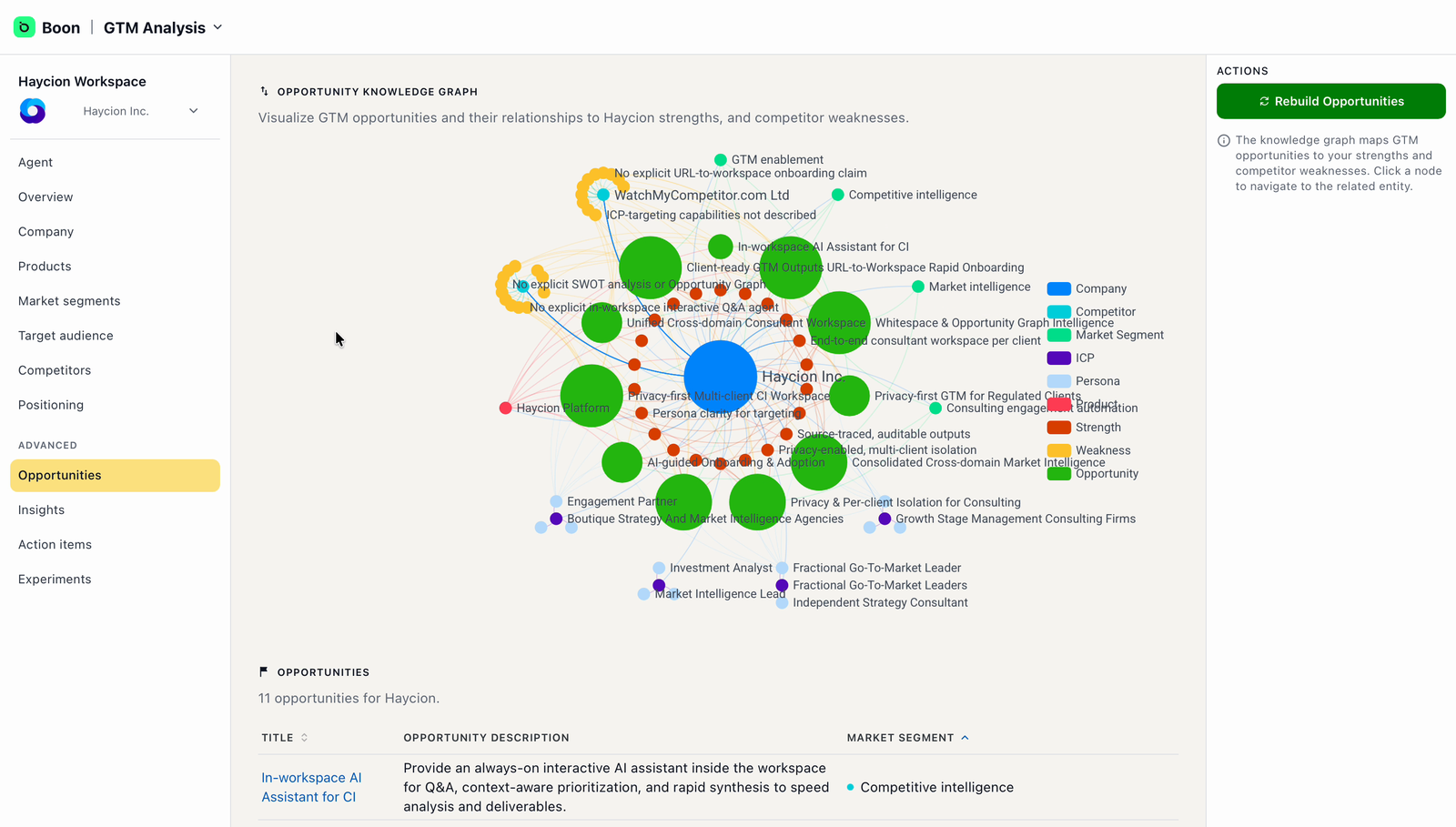
The opportunity graph — each opportunity, connected to what makes it credible.
Below the graph, every opportunity is listed with a description and the market segment it belongs to. There's nothing to do here at onboarding — explore it, and come back when you're planning campaigns.
Work through your Insights
Insights are specific, written observations Boon has generated about your company — filterable by category (Company, Products & Services, ICPs, Personas, Messaging) and searchable. Each one explains a gap or an opportunity in a few sentences, with the related part of your workspace linked.
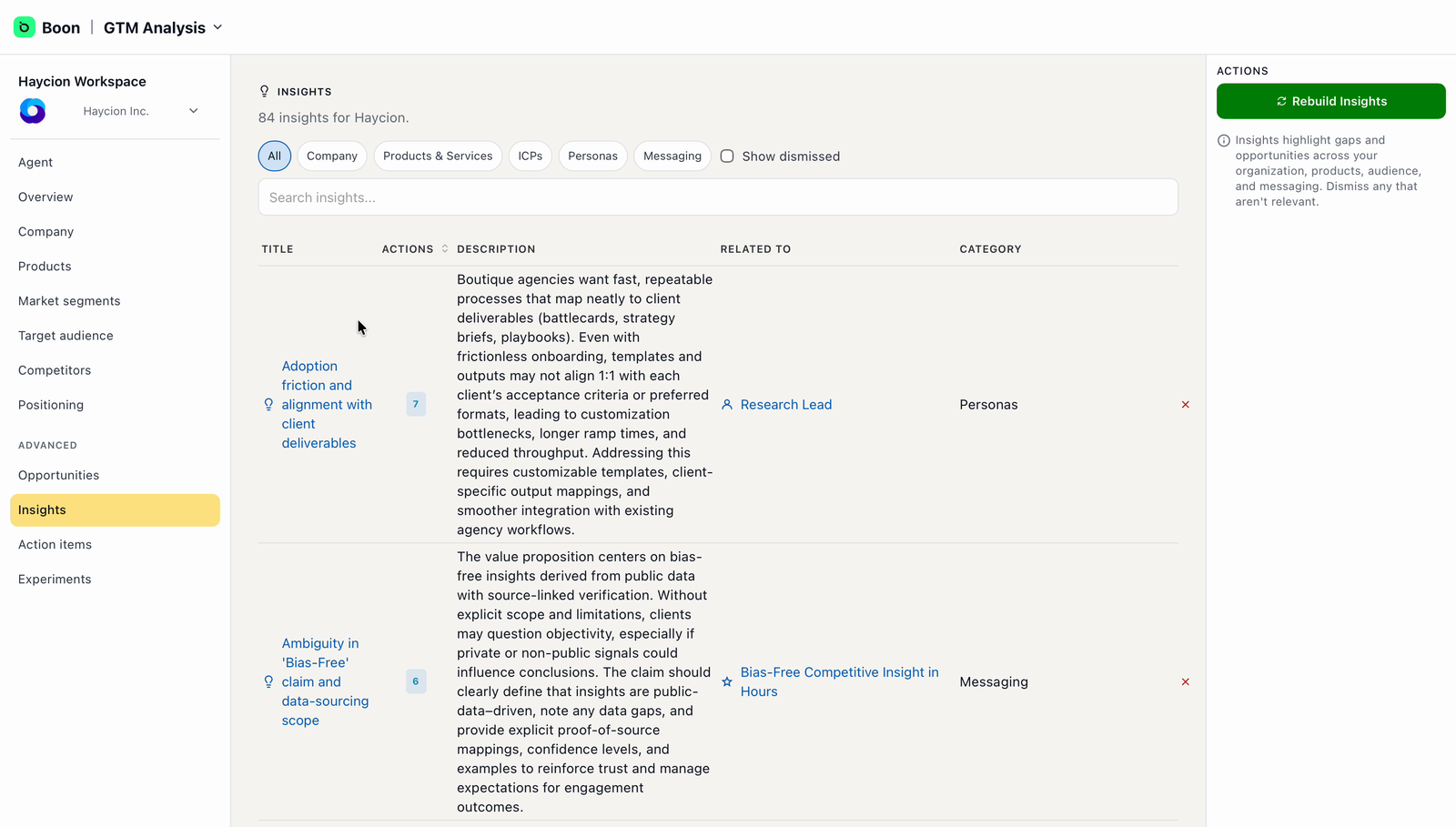
Insights — filter by category, and dismiss what doesn't fit.
You don't need to act on all of them. Two things are worth doing: dismiss insights that don't fit your business — it keeps the list useful — and open the ones that ring true.
Inside an insight, Boon generates concrete action items from it. Each can be edited or removed, and Generate More Action Items produces further ones from the same insight.
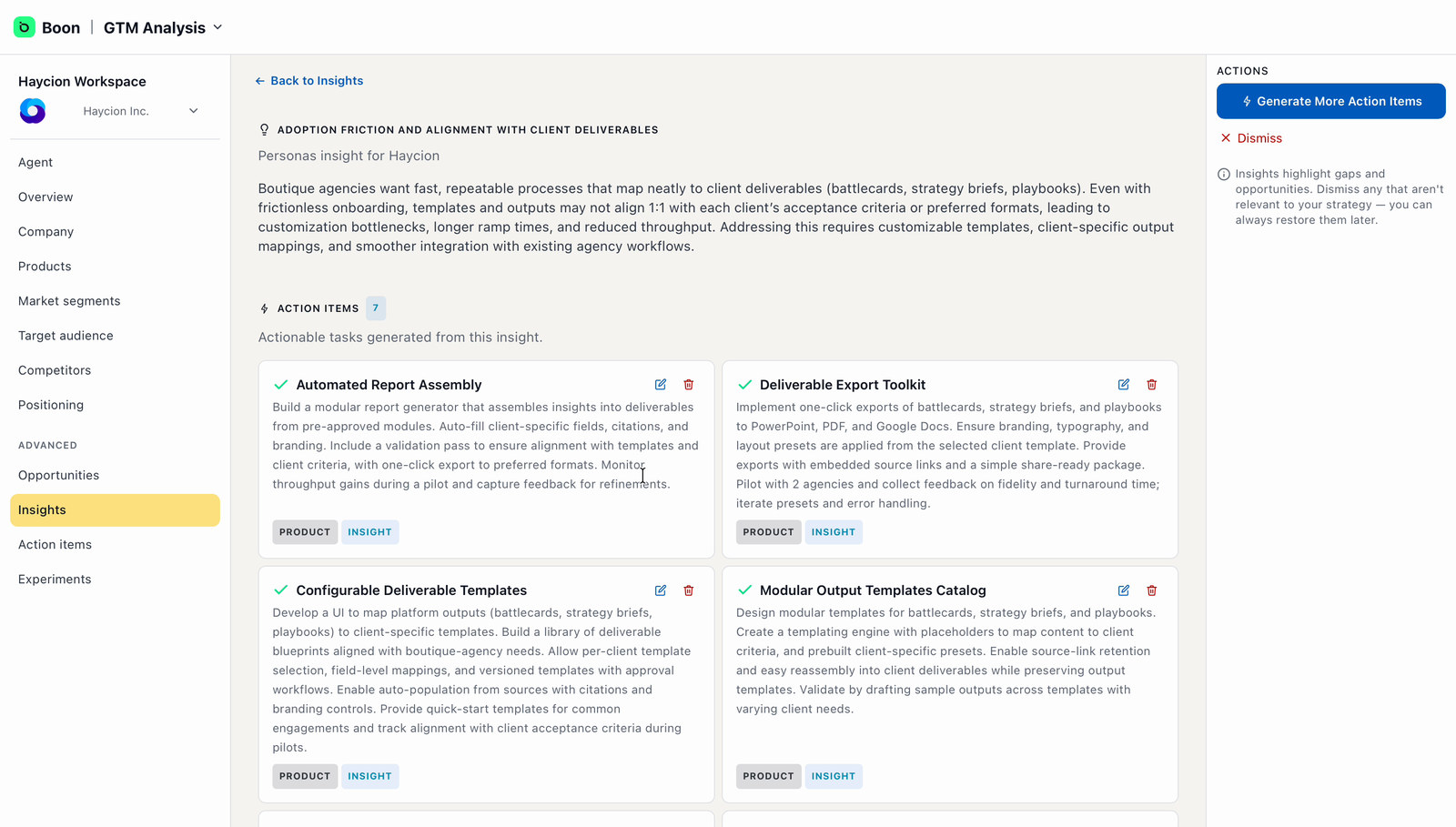
Inside an insight — the action items Boon generated from it.