
Your company profile contains your description, mission statement, location, and case studies. Read it the way a new customer would: is this accurate, current, and complete?
If anything is wrong or outdated, open Edit Organization in the Actions panel and correct it directly.
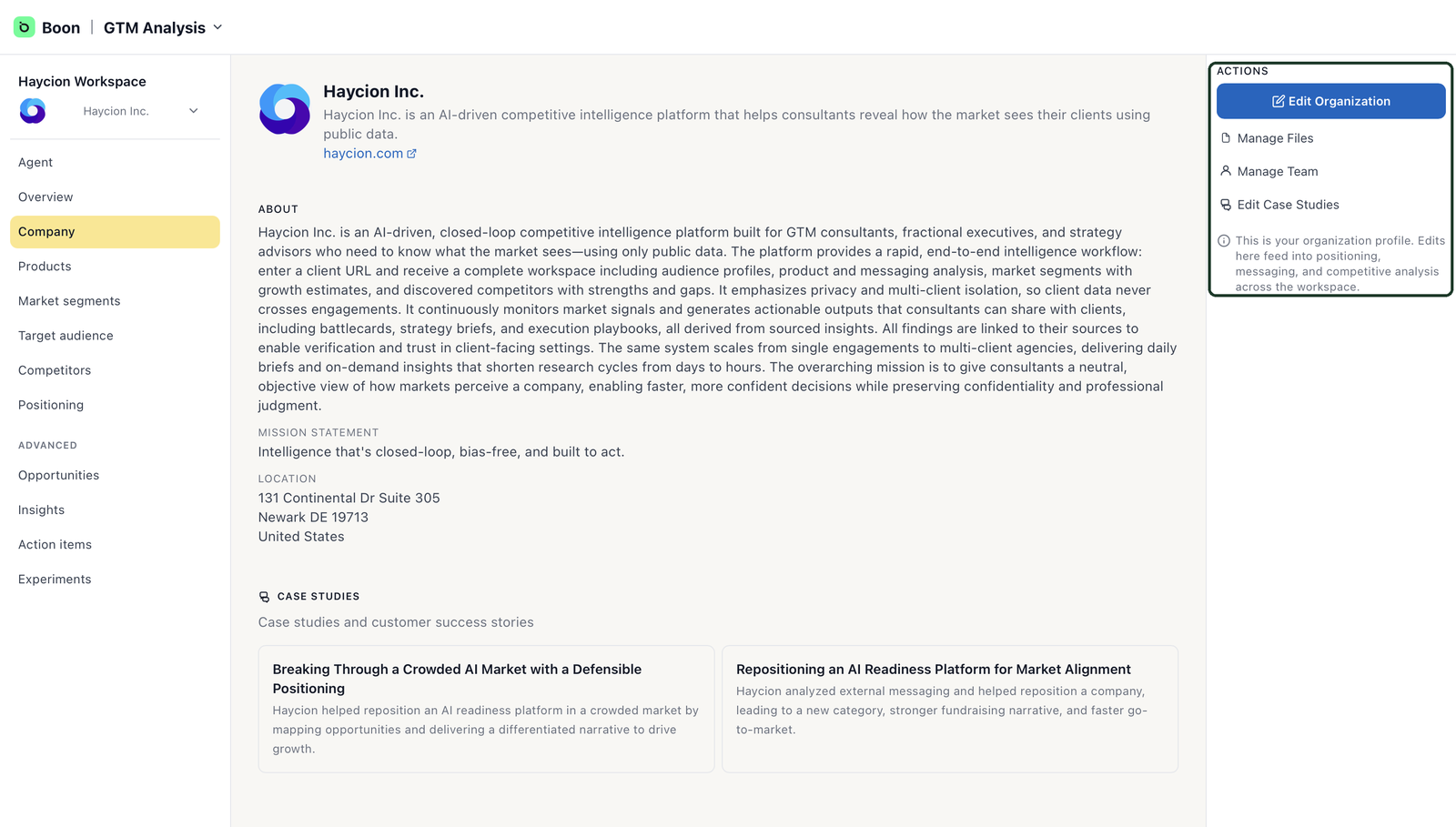
The Company page — corrections start from the Actions panel.
When to use Manage Files
A public website rarely tells the complete story. If there's important context Boon couldn't have found — approved case studies, product documents, presentations — upload them under Manage Files to improve the accuracy of your workspace.
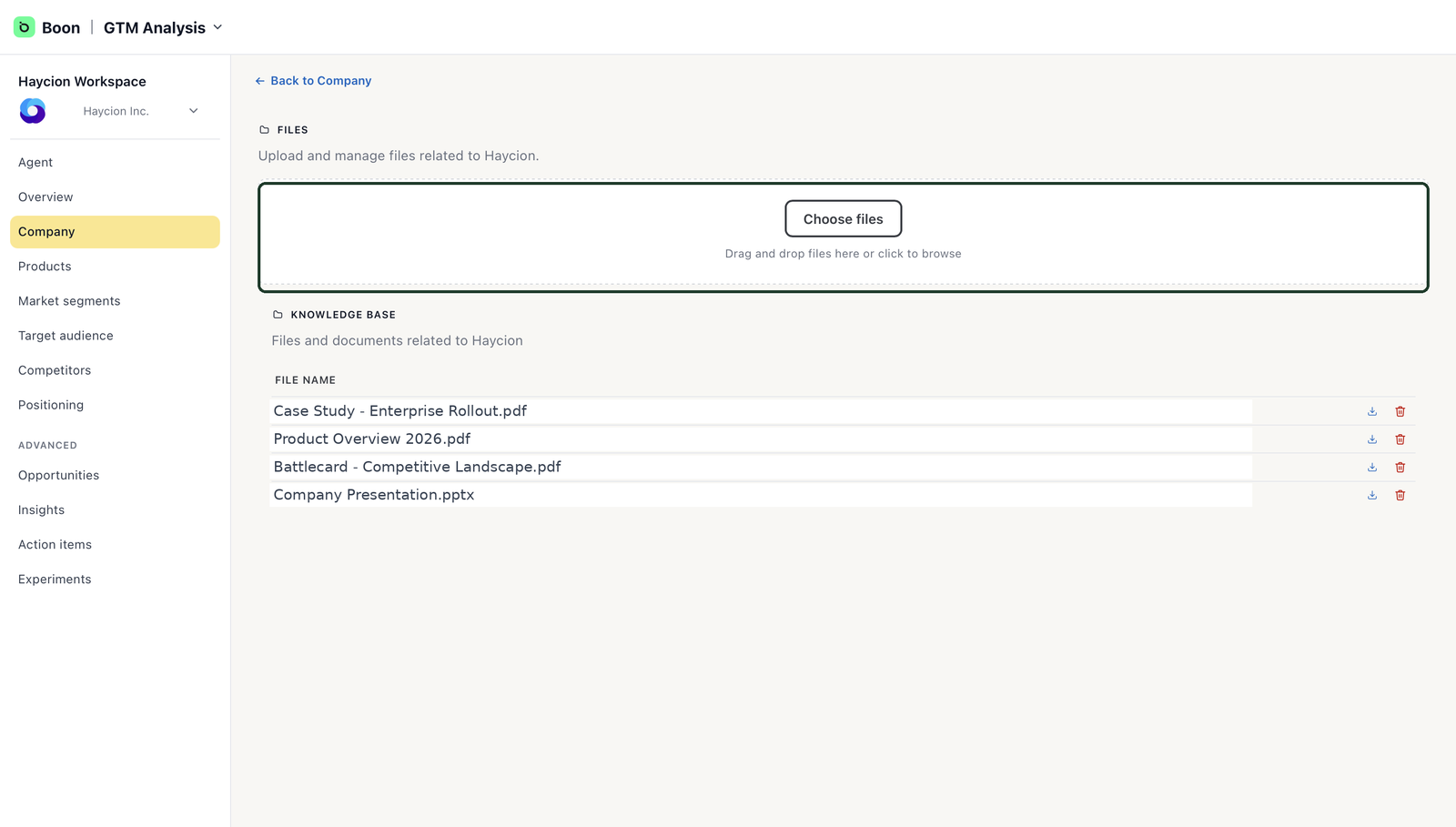
Manage Files — add what your website doesn't say.