
Boon has audited your website and generated your GEO Audit — a picture of how discoverable your company is to search engines and AI assistants such as ChatGPT and Claude. GEO (Generative Engine Optimization) is about being found not just in search results, but in AI answers when buyers ask questions about your market. The audit scores how well your pages are optimized for search and AI engines, then turns what it finds into recommendations, action items, and ready-to-use files.
This guide walks you through the five things to do with it. To open GEO Audit, use the product menu next to the Boon logo.
1. Understand the Overview
The Overview is your starting point, and it's read-only — nothing to change here.
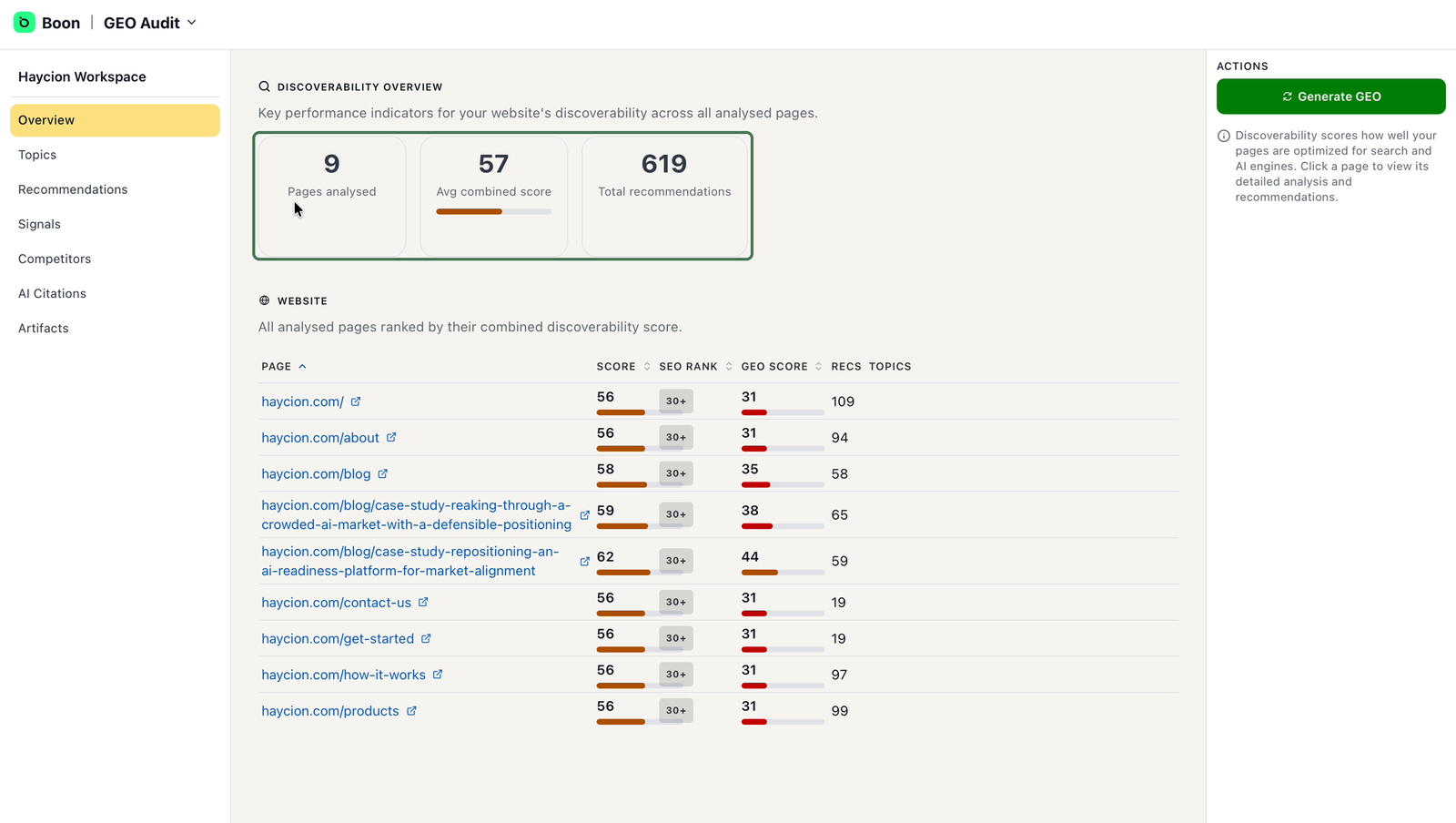
The Overview — headline metrics and the ranked page table.
Three numbers summarize the audit: how many pages were analysed, their average discoverability score, and how many recommendations were generated. Below them, every analysed page is ranked by its combined score, so you can see at a glance where your site is weakest. Click any page for its detailed analysis.
Outcome: you know your overall position and your two or three weakest pages.
2. Prioritize Topics and Recommendations
You won't act on everything in the audit — and you're not meant to. Two pages help you choose what matters.
Topics are the themes buyers search for in your market. Each shows its importance, your current visibility for it, and how you compare to competitors.
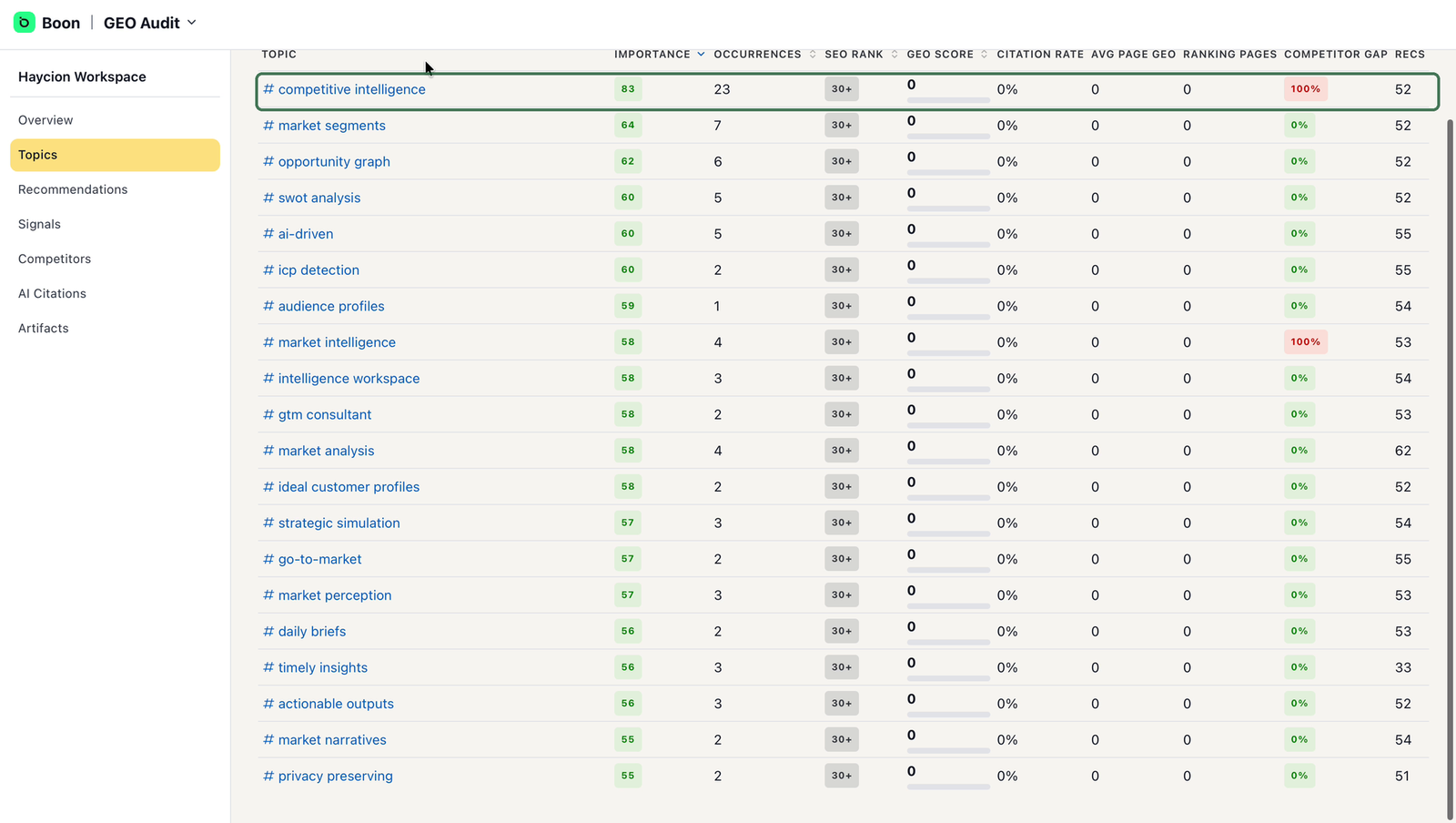
Topics, ranked by importance — start at the top.
The list is sorted by importance, so start at the top: topics that combine high importance with weak scores or a large competitor gap are your best candidates. Pick two or three.
Open a priority topic and scroll down — this is where the audit becomes concrete. You'll find the pages to optimize for that topic, each with a note on what to improve, and generated action items tagged with a suggested owner such as Marketing or Sales. Edit or remove anything that doesn't fit, and pass the rest to the right person on your team.
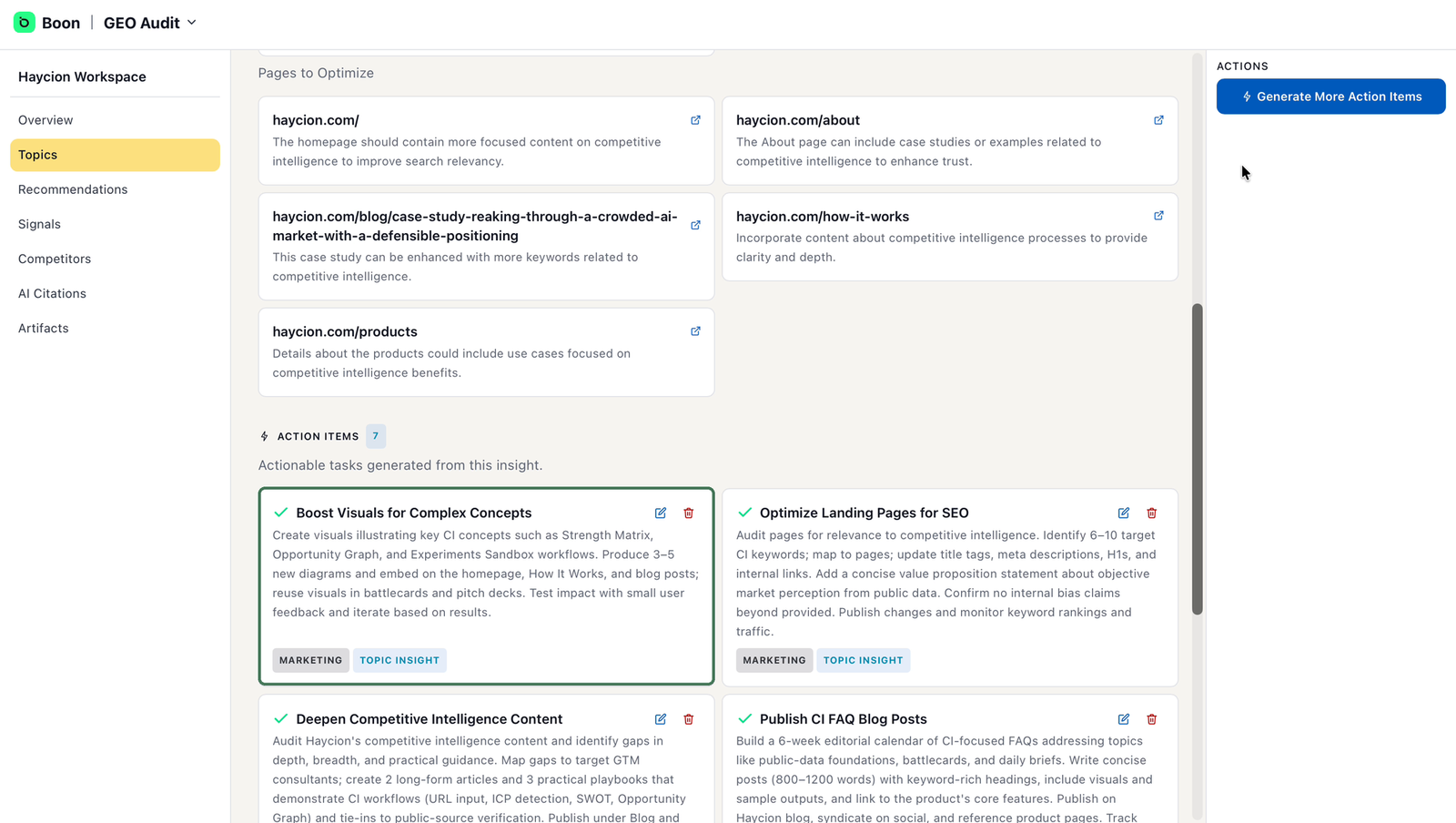
Inside a topic — pages to optimize, and action items with owners.
The Recommendations page collects every suggested improvement across your site, each tagged with a priority, a target (website, page, or topic), a category (SEO, GEO, or content), and an effort level.
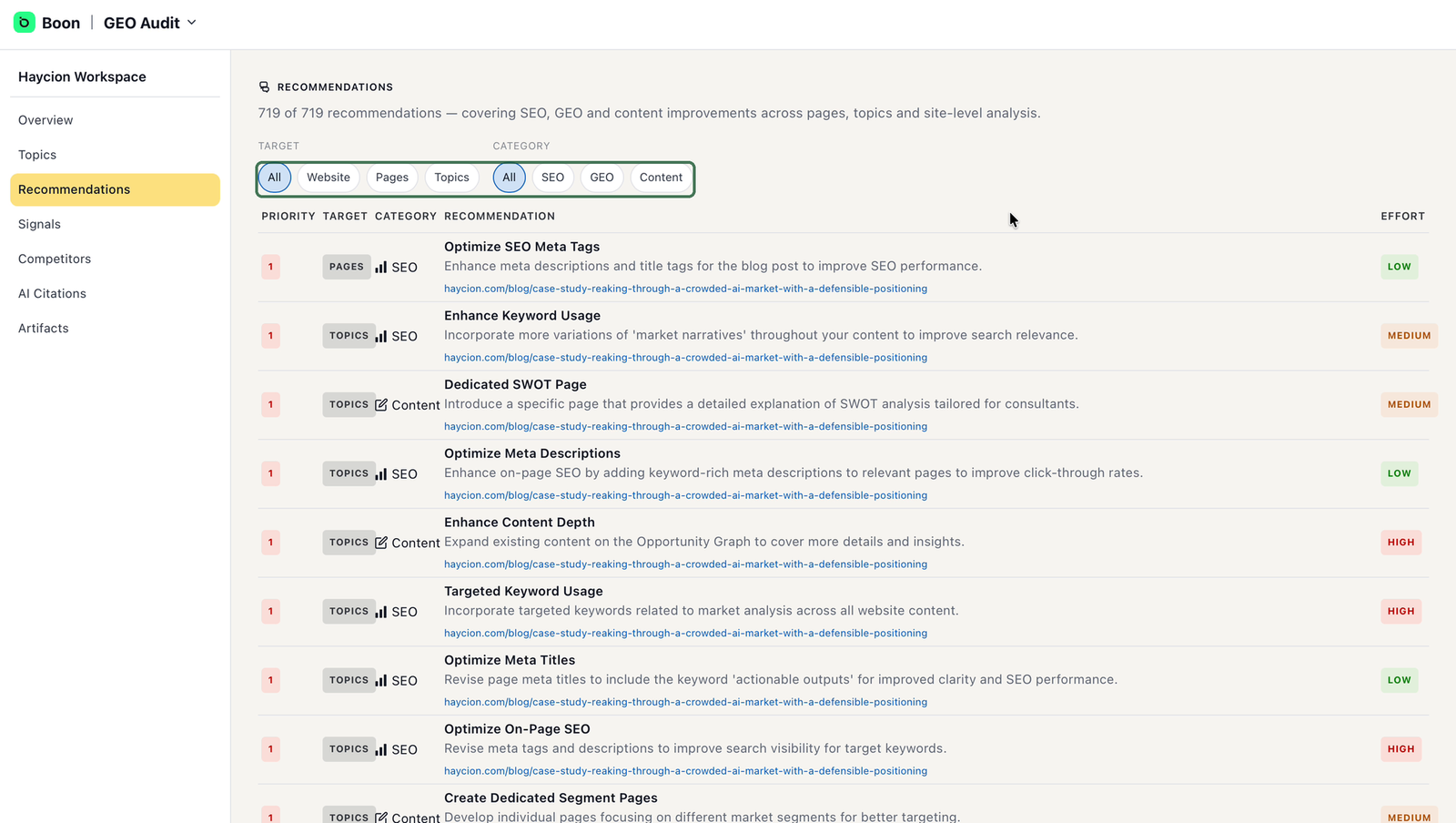
Recommendations — filter down to a short list of quick wins.
Use the filters to turn the full list into a short one: filter by category to route work to the right people, and start with high-priority, low-effort items — your quick wins.
Outcome: two or three priority topics with owners for their action items, plus a short list of five to ten recommendations.
3. Hand failed Signals to your technical team
Signals are site-wide technical checks — structured data, sitemap, robots.txt, llms.txt, metadata, heading structure, alt text, and more. Each one simply shows PASS or FAIL.
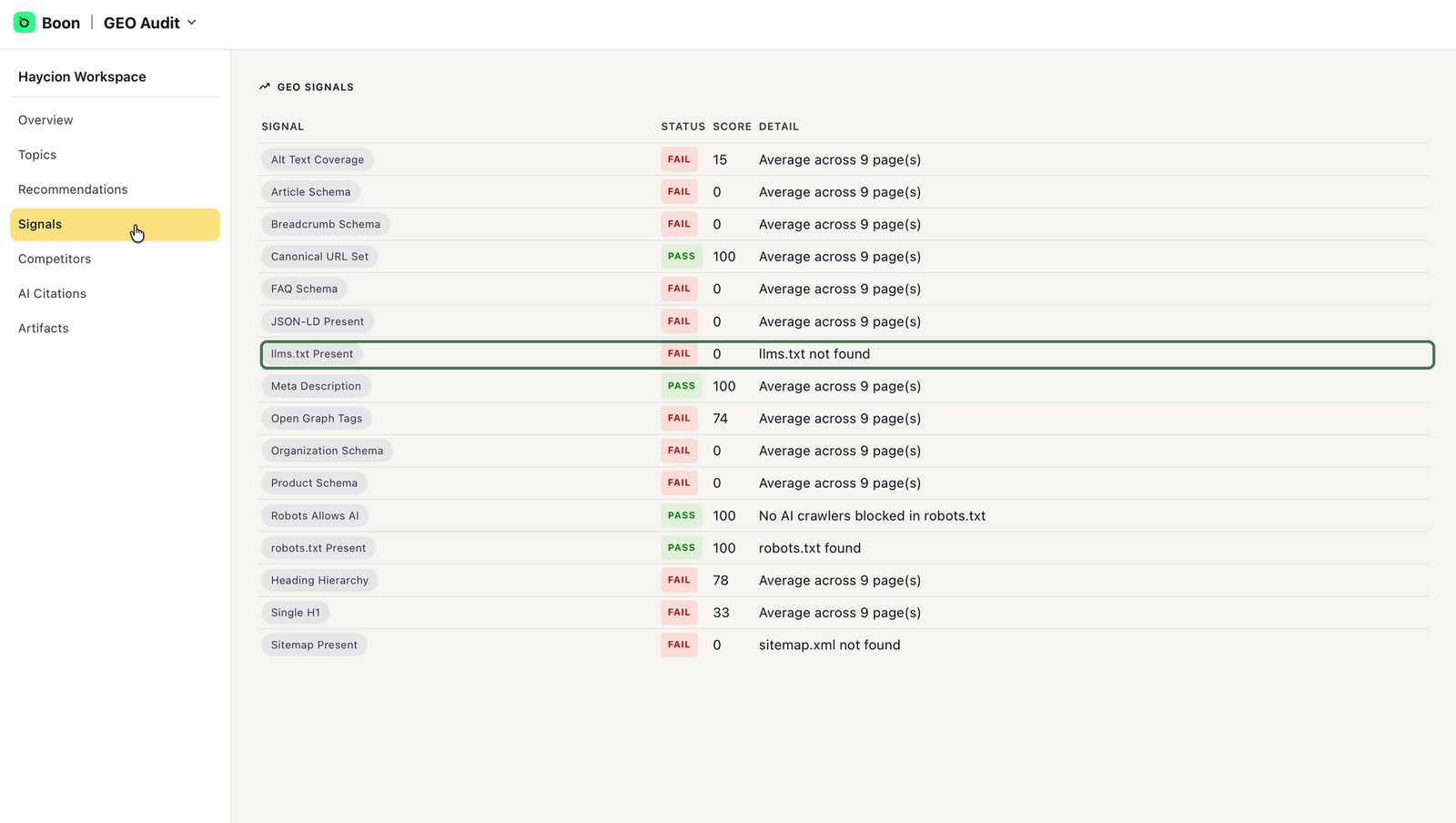
Signals — pass/fail technical checks for your whole site.
This page is not marketing work, and you don't need to interpret every row. Send the list of failed signals to your web or development team — most are one-time fixes, and they overlap with the GEO-category recommendations your team already has from step 2.
Outcome: your web team has the failed signals and owns the technical fixes.
4. Review Competitors and AI Citations as your baseline
Two pages tell you where you're starting from. Read them; no action is required.
Competitors compares your discoverability with competitors — scores, citation rates, and which technical checks they pass that you don't — with a written summary of your biggest gaps. Treat it as context for your priorities, not a list of things to copy.
AI Citations shows whether AI assistants cite your company today. Boon probes realistic buyer-style questions on AI platforms and records whether you appeared in the answers.
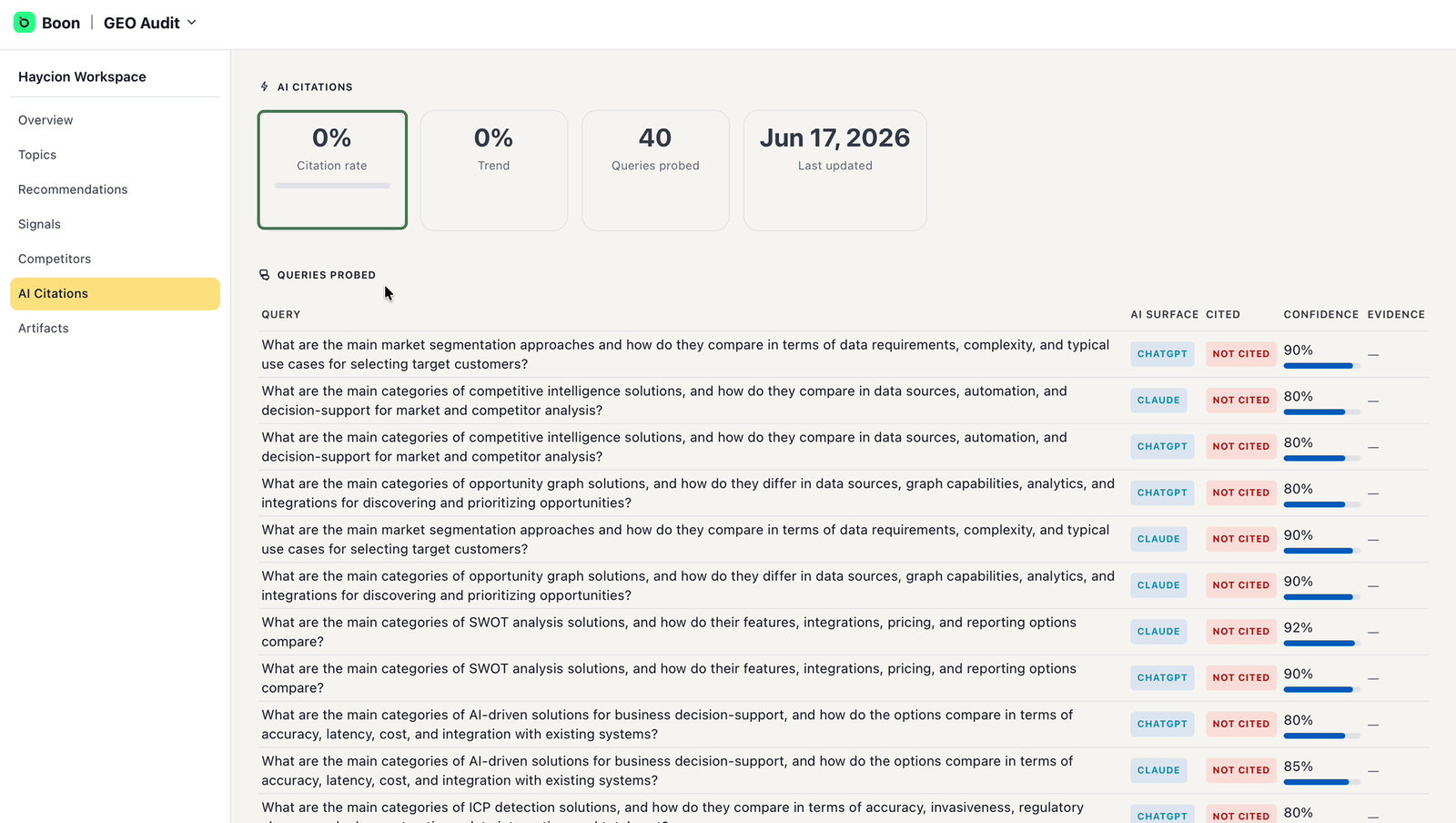
AI Citations — your baseline, before any improvements go live.
Note your current citation rate and skim the questions being probed — they show you exactly how buyers might encounter (or miss) your company. This is your baseline: the number to compare against after your team's improvements go live.
Outcome: you know where you stand relative to competitors and what your citation baseline is.
5. Review Artifacts and involve your website owner
Artifacts are files Boon generates for your site — an llms.txt file and JSON-LD structured data — designed to help AI engines understand who you are and what you offer. Each file is validated, and you can copy files individually or download everything as a ZIP.
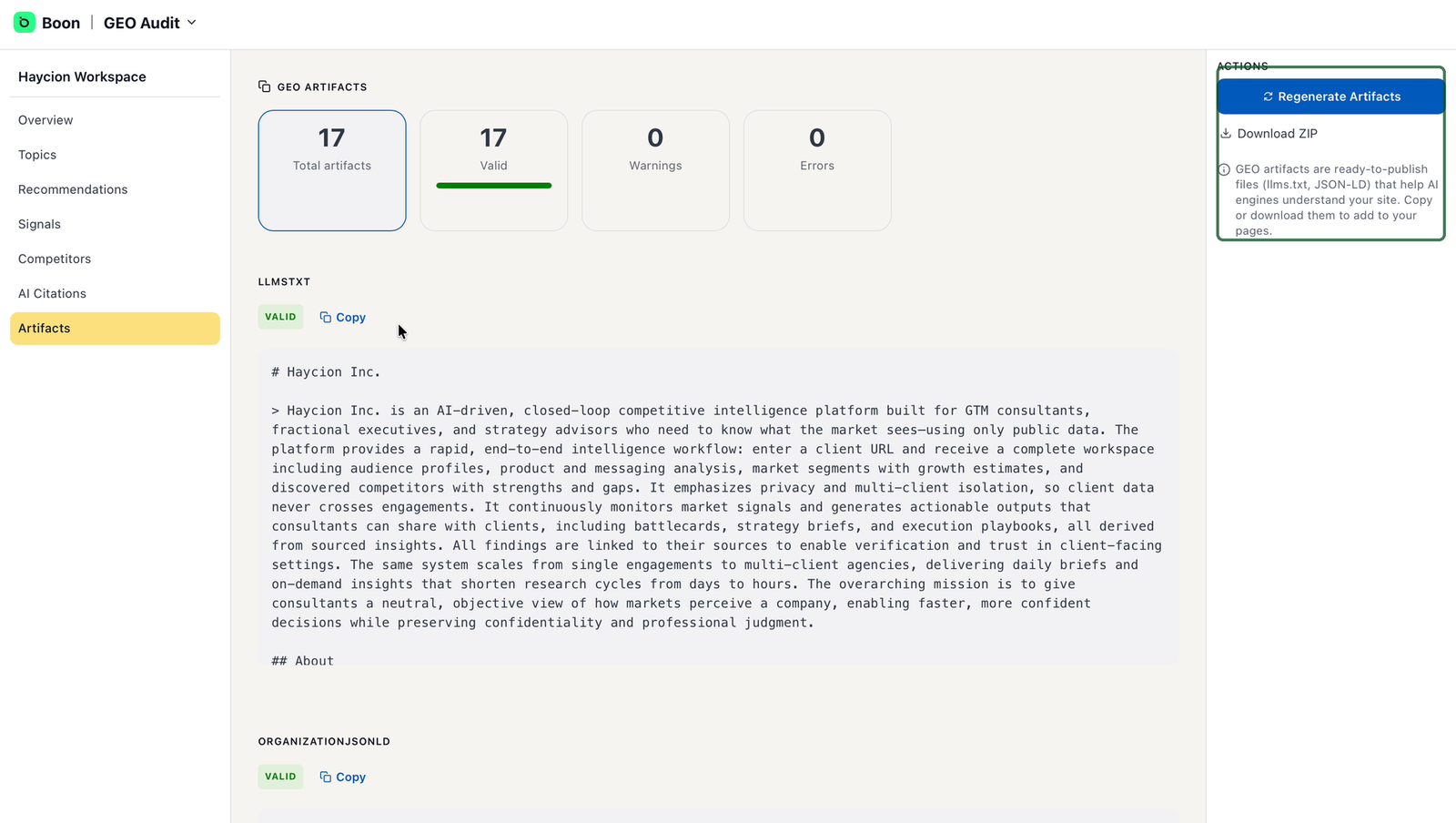
Artifacts — ready-to-publish files, validated by Boon.
Before anything is published, do two things. First, read the generated content yourself — these files describe your company, so make sure every statement is accurate. Second, hand the files to whoever owns your website: publishing them is a site change, and it should go through the same review as any other.
Outcome: reviewed artifacts are with your website owner, ready to publish.
You're ready when…
- You know your overall scores and weakest pages
- Two or three priority topics have owners for their action items
- You have a short list of quick-win recommendations, routed by category
- Your web team has the failed signals
- You've noted your competitor position and AI citation baseline
- Your website owner has the reviewed artifacts
What happens next?
Your team implements: content work from the topic action items, on-page fixes from the recommendations, technical fixes from the signals, and the artifacts your website owner publishes. As the work goes live, revisit AI Citations and your audit scores to track how your visibility develops over time.
Do I need to implement every recommendation?
No. The audit is comprehensive by design; your job is to pick priorities. High-priority, low-effort items in your most important topics come first.
Who does the technical work?
Anything under Signals, and GEO-category recommendations such as structured data, belong with your web or development team. Marketing and content teams own the topic action items and content recommendations.
Can I publish the artifacts as-is?
Review them first — they describe your company, and you should be comfortable with every claim. Publication happens on your website, by the person who manages it.